
Zip and unZip at the touch of a button!
iZipIt Plus is free file compression software for Microsoft Windows that simplifies working with .zip files, making the process a lot quicker and easier!
How it works is simple :
It sits quietly in the windows system tray, waiting for you to press a hotkey
Press the system wide hotkey Ctrl+Alt+Z (configurable) to compress files
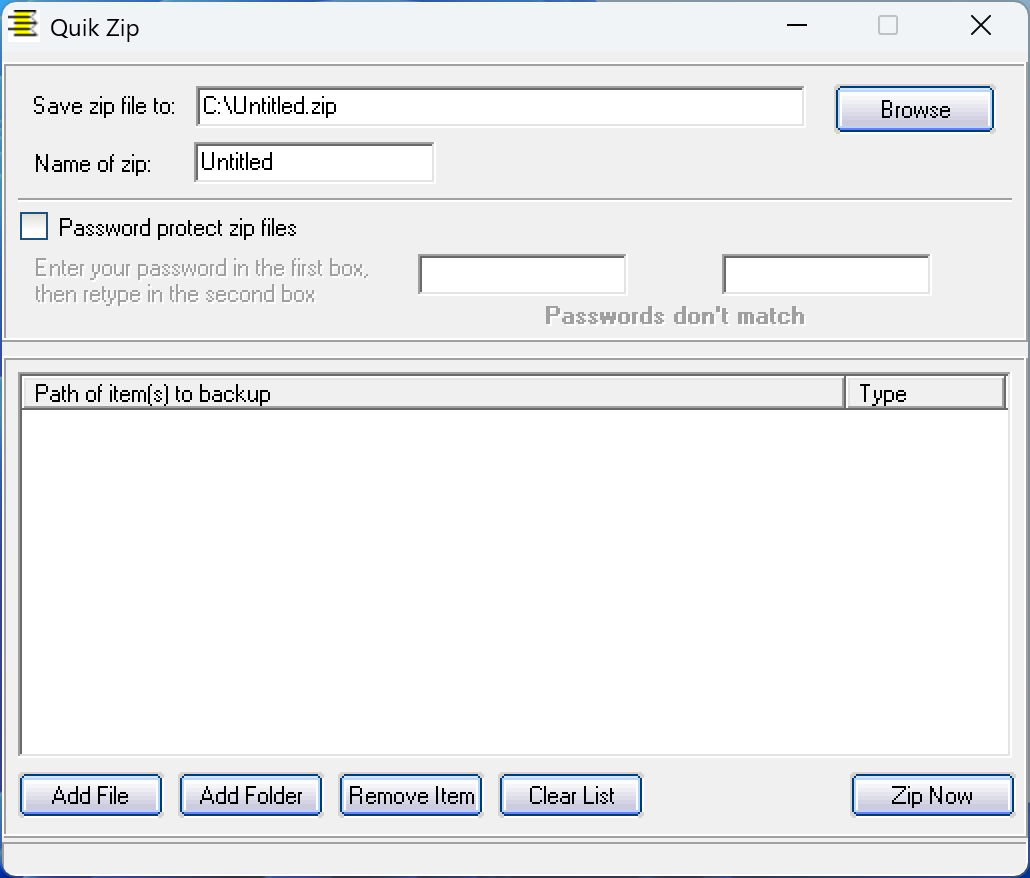
or
Press the system wide hotkey Ctrl+Alt+U (configurable) to decompress files
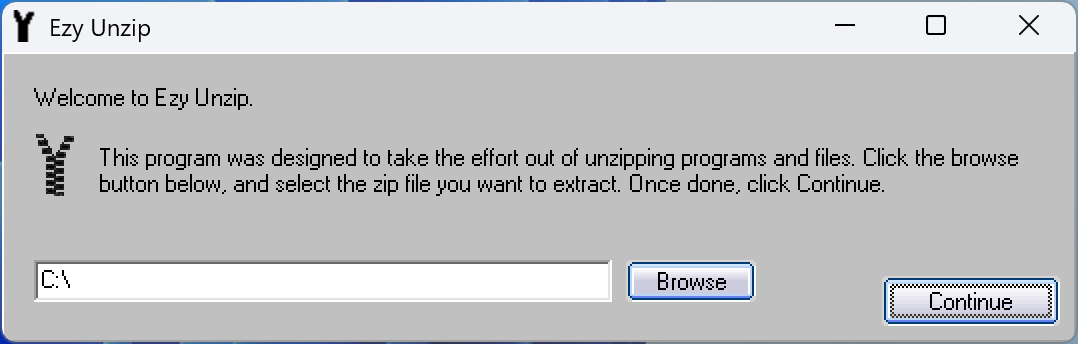
And that’s it! It’s as easy as that!
The hotkeys work regardless of what applications you are using.
How to Configure Your Hotkeys :
Find the icon in your system tray (bottom right, near the clock)
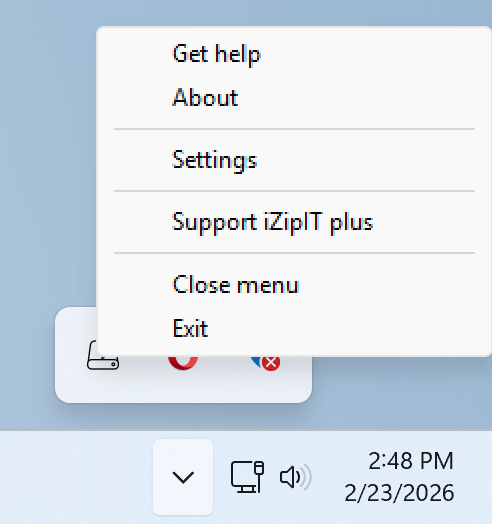
Right-click the icon and select Settings
Configure your hotkeys:
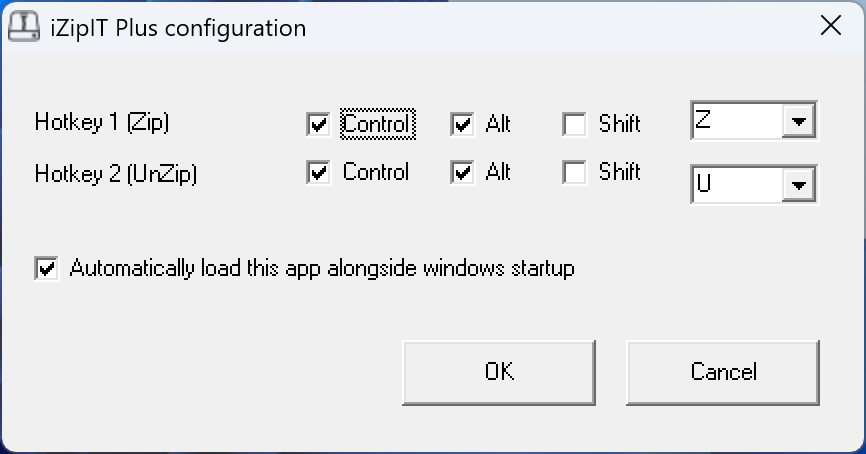
Job done.
System Requirements :
iZipIT Plus is compatible with a wide range of Windows operating systems, including those that run on older machines. Requirements are: Microsoft Windows XP or later (XP, Vista, 7, 8, 8.1, 10, and 11 all supported), approximately 1 MB of free disk space. Basically, any system capable of running vb6 runtimes (included), and no internet connection required after installation.
iZipIT plus has been downloaded : times.
How to Install – Step by Step :
Step 1 – Download.  – to download and save izipitplussetup.exe to your PC.
Step 2 – Run the installer. Double-click the file and allow it to run if prompted by Windows.
Step 3 – Follow the wizard. Accept the defaults or choose your own settings, then click Install. Done in seconds.
Step 4 – Click the app shortcut. iZipIt Plus launches straight to your system tray.
Step 5 – Enjoy 🙂
You can now compress and decompress .zip files at the touch of a button!
A full record of versions, fixes, and features.
| Version | Date | Changes |
|---|---|---|
| v2.0 | 23-02-2026 |
|
Frequently Asked Questions
Is iZipIT Plus really free?
Yes. No time limits, no premium tiers, no hidden costs – ever.
How do I compress files?
Press Ctrl+Alt+Z from anywhere on your PC – it works system-wide, no matter what application you’re currently using. A dialog will appear to let you select the files you want to zip.
How do I decompress (unzip) files?
Press Ctrl+Alt+U to bring up the unzip dialog. Select your .zip file and it will be extracted straight away.
Can I change the hotkeys?
Yes – right-click the iZipIT Plus icon in your system tray (bottom-right, near the clock), select Settings, and configure the hotkeys to whatever you prefer.
Where does iZipIT Plus run when it’s open?
It sits quietly in the Windows system tray and stays out of your way until you need it.
Will it slow down my PC?
No. iZipIT Plus has a tiny footprint of around 1 MB and is suitable even for older or low-spec machines.
Does it need an internet connection?
No. Once installed, iZipIT Plus works entirely offline.
What Windows versions are supported?
iZipIT Plus supports Windows XP, Vista, 7, 8, 8.1, 10, and 11 – so it works on both modern and older machines.
What file formats does it support?
iZipIT Plus works with .zip files for both compression and decompression.
Is it safe to download?
Yes. The installer is verified 100% virus-free on VirusTotal, and DoddleSoft.com holds a TrustedSite security certification.
How do I install it?
Download the installer (izipitplussetup.exe) from the website, double-click it, follow the setup wizard, and you’re done. It launches straight to your system tray – the whole process takes seconds.
Can I uninstall it?
Yes, via Windows’ standard Add/Remove Programs or Apps & Features – same as any other application.
In a nutshell :
iZipIT Plus is a free, no-fuss zip tool for Windows that lives in your system tray. Need to zip something? Press a hotkey. Need to unzip something? Press another hotkey. That’s genuinely all there is to it — no digging through menus, no right-clicking through Explorer, just instant compression and decompression at your fingertips. Lightweight, simple, and free!
Sounds goood?
– to download and install iZipIT plus!