
Six search engines at the touch of a button!
When searching for specific or rare items online, a regular web search often misses the mark. Thankfullly, different search engines exist that use different algorithms and databases, so checking multiple engines increases your chances of finding what you need. But manually searching each one is tedious, so most people don’t bother—even though it could help significantly, and give up immediately.
Until now …
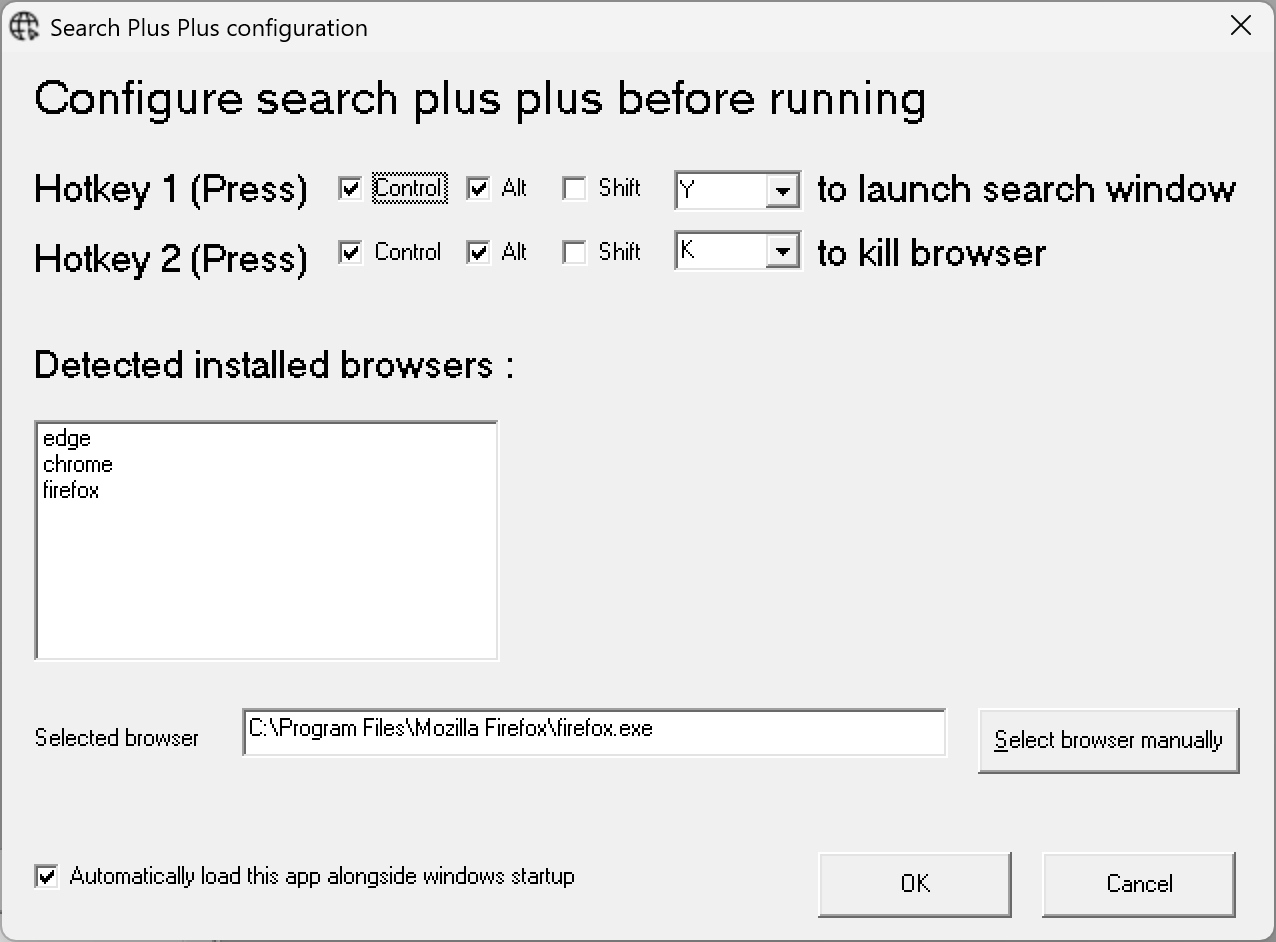
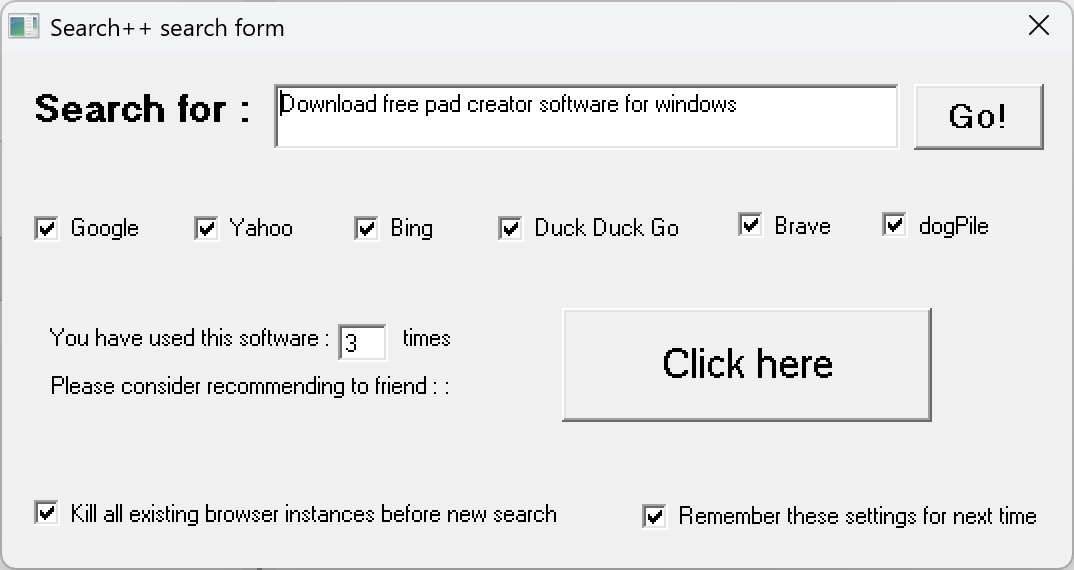
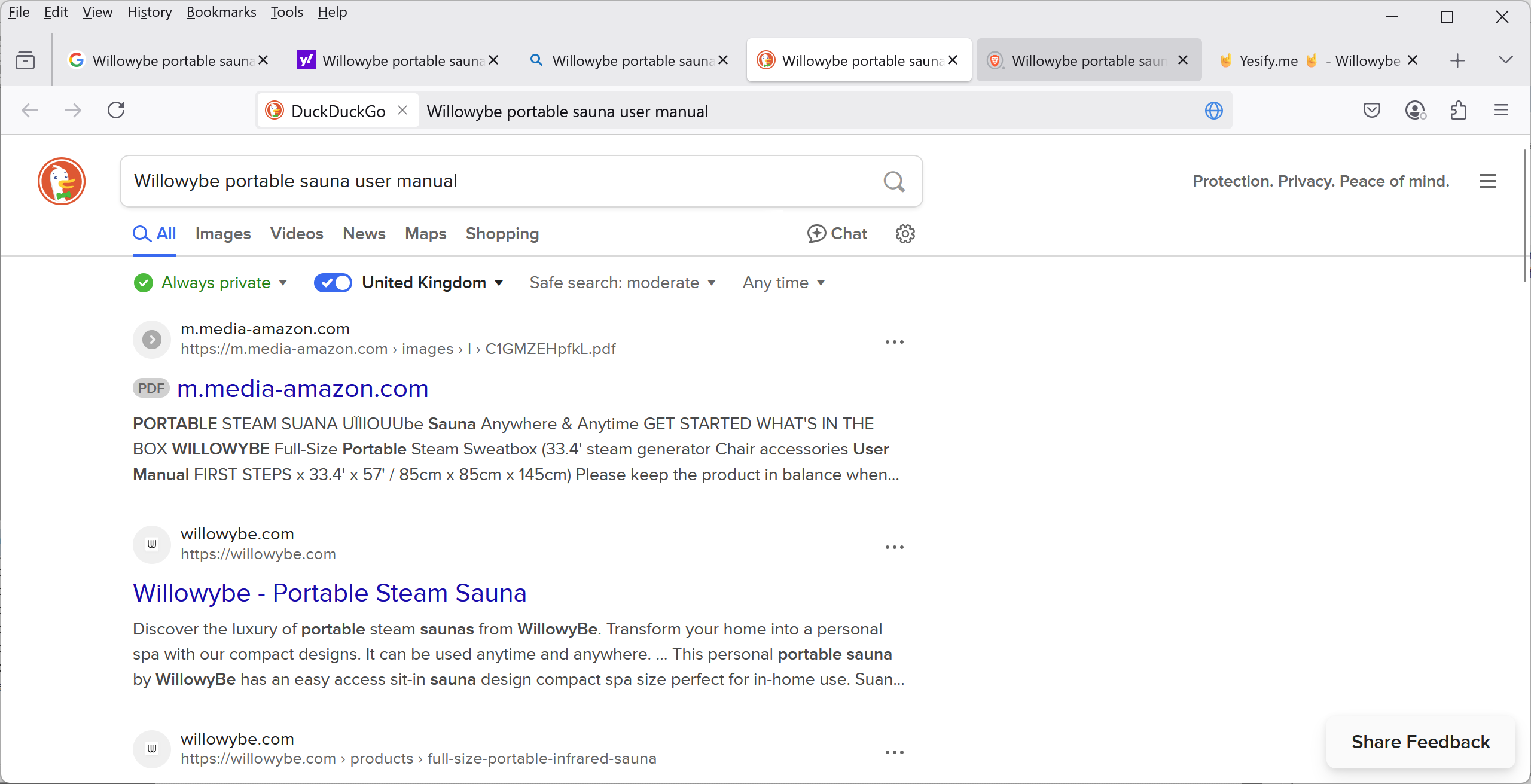
Search++ is free software for microsoft windows (XP+) that runs silently in the windows system tray. Press a customizable hotkey to open a search form, select up to six search engines, type your query, and click “Go”—all engines open instantly in your browser with your search query pre-filled, making it super easy to find what you need!
Search++ screenshots :
Software configuration :
Search form dialogue:
What it does :
System Requirements :
Search Plus Plus is compatible with a wide range of Windows operating systems, including those that run on older machines. Requirements are: Microsoft Windows XP or later (XP, Vista, 7, 8, 8.1, 10, and 11 all supported), approximately 2 MB of free disk space. Basically, any system capable of running vb6 runtimes (included).
Search++ has been downloaded : times.
How to Install – Step by Step :
Step 1 – Download.  – to download and save searchplusplussetup.exe to your PC.
Step 2 – Run the installer. Double-click the file and allow it to run if prompted by Windows.
Step 3 – Follow the wizard. Accept the defaults or choose your own settings, then click Install. Done in seconds.
Step 4 – Click the app shortcut. Search Plus Plus launches straight to your system tray.
Step 5 – Enjoy! 🙂
A full record of versions, fixes, and features.
| Version | Date | Changes |
|---|---|---|
| v1.0 | 23-02-2026 |
|
Frequently Asked Questions :
Is Search++ really free?
Yes. Search++ is freeware with no time limits, no premium tiers, and no hidden costs – ever.
What does Search++ actually do?
It lets you search up to six different search engines simultaneously. Type your query once, select your engines, click “Go”, and all results open instantly in your browser – no need to search each site manually.
Why would I need more than one search engine?
Different search engines use different algorithms and databases, so one engine may find results another misses. Search++ makes it effortless to cast a wider net, especially when searching for specific or hard-to-find items.
How do I open the search form?
Press your customizable hotkey to instantly bring up the search form from the system tray – no need to switch windows or open a browser first.
Can I choose which search engines to use?
Yes. You can select any combination of up to six search engines each time you search, and configure your preferences from the app settings.
Will it slow down my PC?
No. Search++ runs silently in the Windows system tray with a very small footprint, making it suitable even for older or low-spec machines.
What versions of Windows does it support?
Search++ supports Windows XP, Vista, 7, 8, 8.1, 10, and 11 – a very wide range, including older hardware.
How much disk space does it need?
Approximately 2 MB of free disk space – barely anything at all.
Do I need an internet connection to install it?
Yes, an internet connection is needed to download , install and run
Is it safe to download?
Yes. The installer is verified 100% virus-free on VirusTotal, and DoddleSoft.com holds a TrustedSite security certification.
In a nutshell :
Search++ is a free, lightweight Windows utility that sits quietly in your system tray. When you need to search the web, hit your hotkey, pick up to six search engines, type your query, and hit Go — all chosen engines open at once with your results ready. No more switching tabs or retyping the same thing over and over. Simple, fast, and free!
Sounds good?
to download and install, it’s freeware! Only takes a couple of minutes 🙂